
In development
Insights
The dashboards your event stream already paid for.
Insights turns the events the platform already publishes into per-tenant dashboards, scheduled reports and anomaly alerts — no BI tool, no data team.
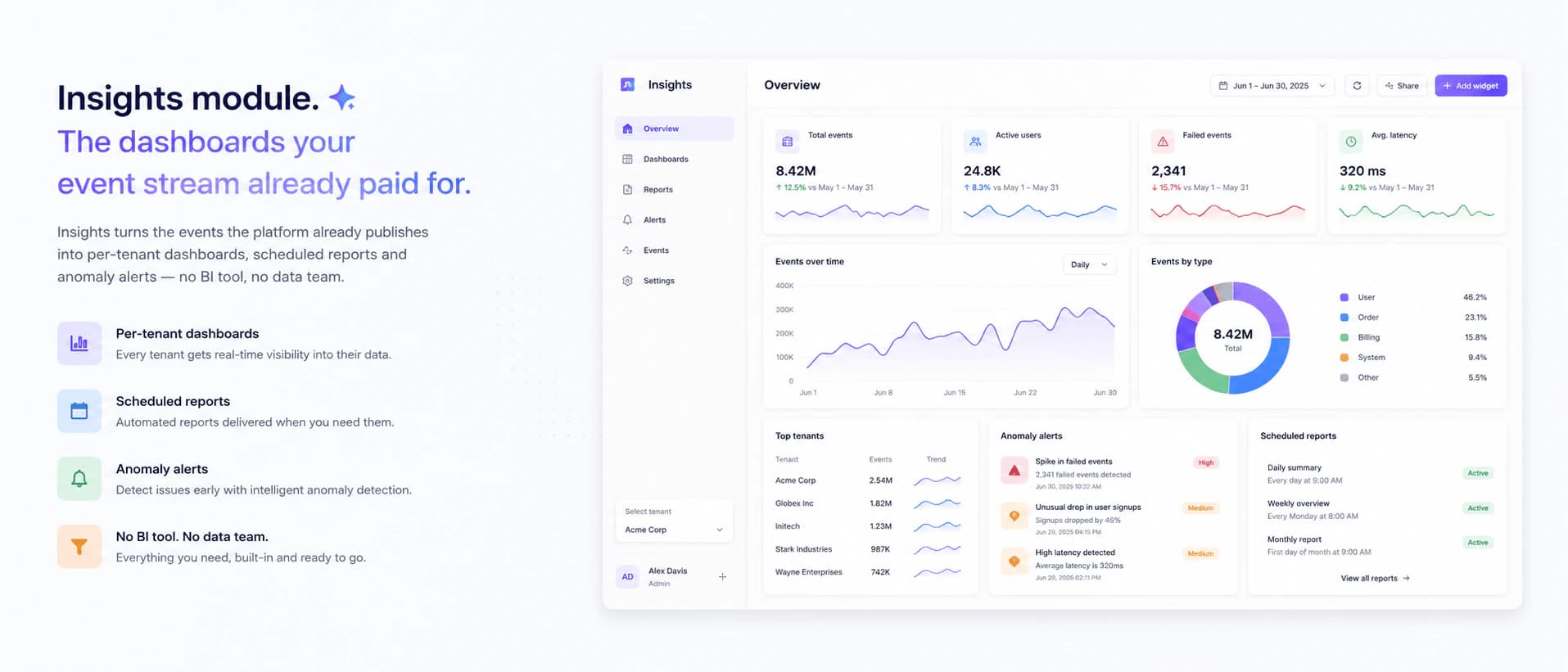
In development — this page describes what the module is being built to do, not what you can install today.
- Built-in dashboards
- 7
- Data source
- The platform's own events
- Extra BI tooling needed
- 0
Dashboards that work on day one
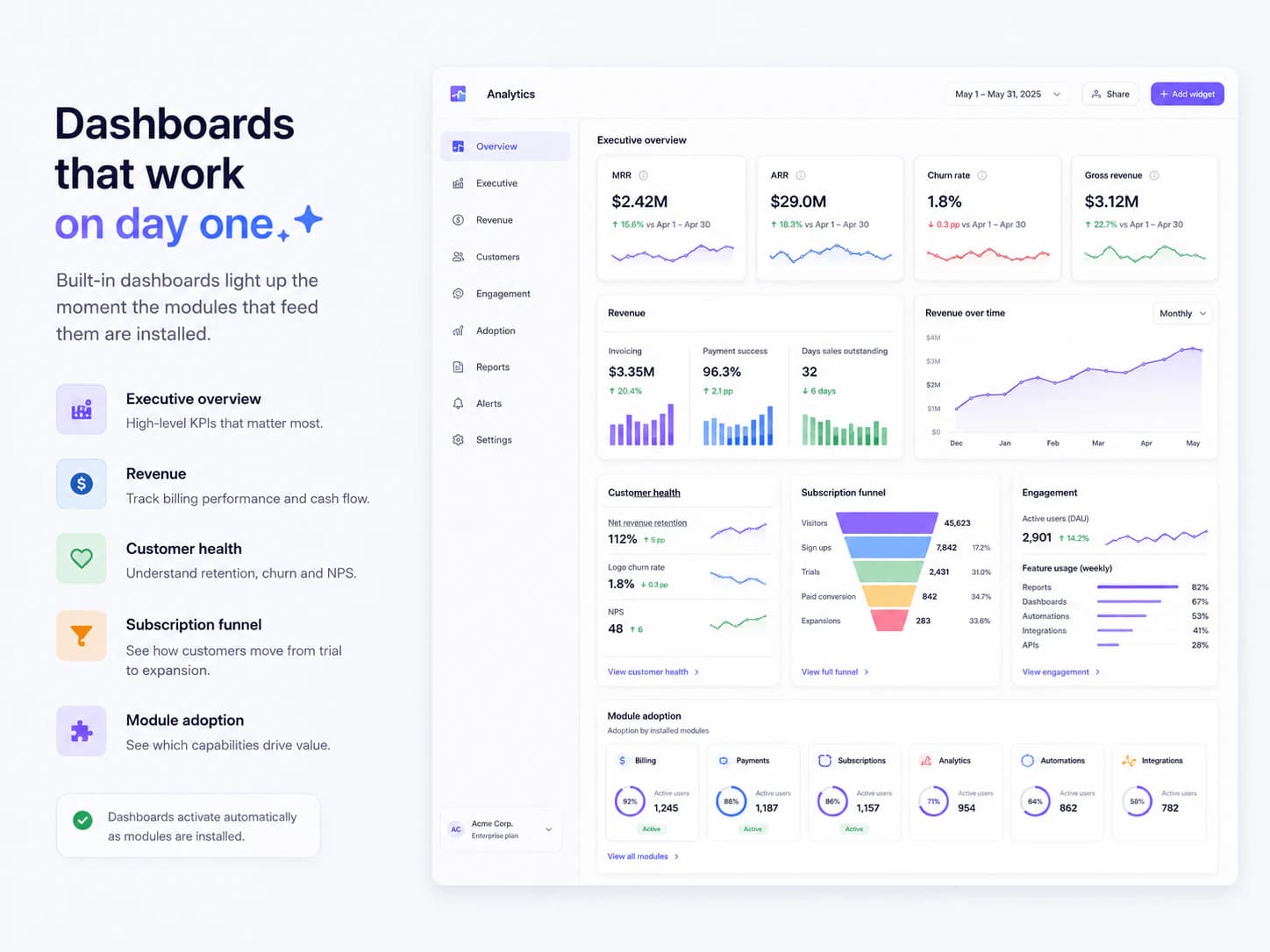
Built-in dashboards light up the moment the modules that feed them are installed.
- Executive overview: MRR, ARR, churn, gross revenue
- Revenue: invoicing, payment success, days sales outstanding
- Customer health, subscription funnel and engagement views
- Module adoption — which capabilities actually get used
Every number opens
A widget is a doorway, not a dead end.
- Click a metric and land on the records behind it
- Drill-down navigates into the source module with the filter pre-filled
- No duplicate record pages — the source module stays the truth
Your own events
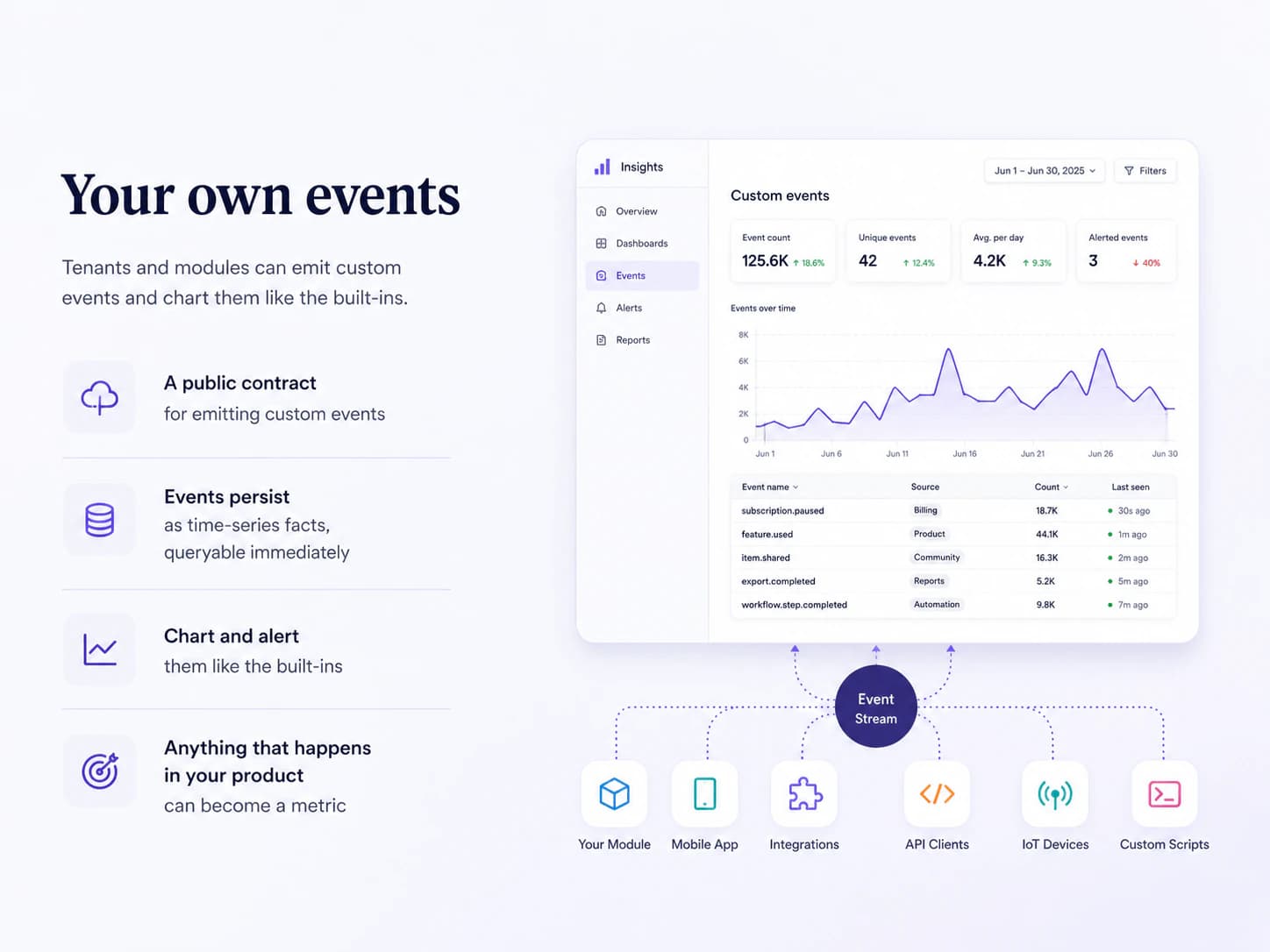
Tenants and modules can emit custom events and chart them like the built-ins.
- A public contract for emitting custom events
- Events persist as time-series facts, queryable immediately
- Anything that happens in your product can become a metric
Reports on a schedule, alerts on a spike
The numbers come to you — on a cadence you set, or the moment they move strangely.
- Scheduled reports through the platform's own notification pipeline
- A weekly executive summary, a monthly snapshot, a daily digest — each a saved dashboard with recipients
- Anomaly alerts on configurable thresholds
- With AI Copilot installed, the headline becomes a written narrative instead of a stat block
What every module inherits.
- Installs from the marketplace with no redeploy — the menu and the permission list update immediately.
- Creates its own tables, in its own schema, inside that customer's database.
- Packages are cryptographically signed when they are built, and the signature is checked before the host unpacks one.
- Uninstall switches a module off and keeps its data. Dropping the tables is a separate, deliberate choice.
Works with
Curious where Insights is heading?
Thirty minutes, a live workspace, and an honest view of what is built and what is still ahead.
Book a call