
€95/mo, on top of your plan
AI Copilot
The platform, operated in plain language.
A copilot that runs real platform commands from a chat surface — on your own Anthropic key, inside daily budgets you set, with an audit line for every tool call.
Image slot — asset to come
Screenshot: the Copilot workspace mid-conversation, anonymised.
- Tools it can call
- 18
- Writes that run unconfirmed
- 0
- Tool calls audited
- Every one
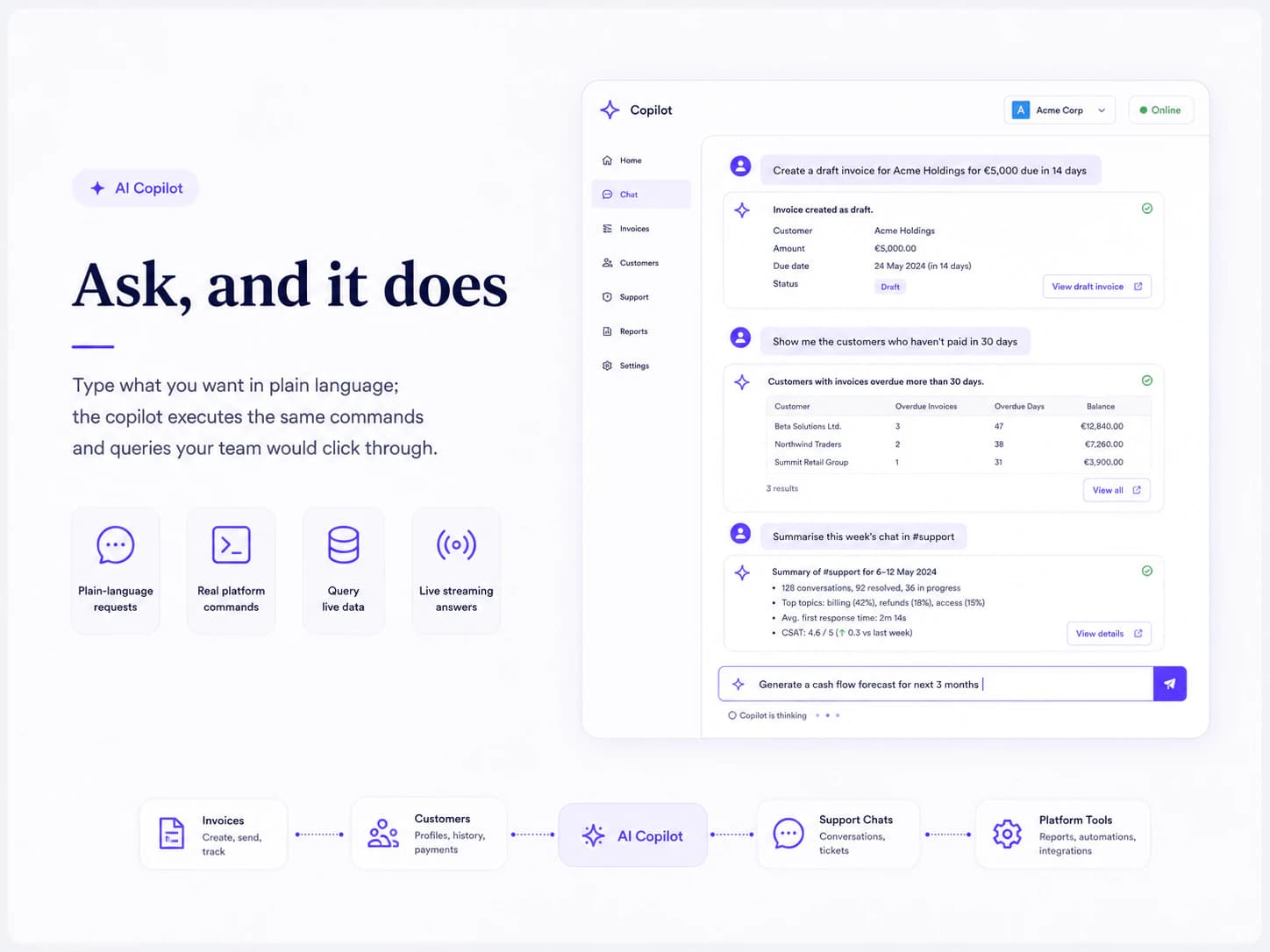
Ask, and it does
Type what you want in plain language; the copilot executes the same commands and queries your team would click through.
- “Create a draft invoice for Acme Holdings for €5,000 due in 14 days”
- “Show me the customers who haven't paid in 30 days”
- “Summarise this week's chat in #support”
- Answers stream token by token, live
Nothing is written behind your back
Reads run straight away. Anything that would change data comes back as a confirmation card first, and waits.
- The card shows the exact action and its arguments before a person approves it
- Permissions are checked again at the moment the approved action runs
- One tenant-wide switch removes every write tool from the model's view
- Individual tools can be switched off without touching the rest
Where it lives in the panel
The copilot has its own workspace, and a launcher in the top bar opens it from any screen.
- Its own workspace with sessions, history and settings
- A launcher in the panel's top bar, on every screen
- Two dashboard widgets: tokens and cost against budget, and your recent sessions
Your key, your bill
The copilot talks to Anthropic directly on the key you supply, so the model cost is yours and never lands on our invoice.
- Your own Anthropic API key, encrypted the way payment keys are and never shown back
- The model comes from a live list your own key can reach, not a hard-coded one
- Daily token budgets per tenant and per user; a breached budget suspends new turns rather than spending on
- A request timeout and a ceiling on tool rounds per turn, so a loop cannot run away
Image slot — asset to come
Screenshot: the copilot settings with model and daily budgets, key masked.
Auditable by design
Every tool the copilot can touch is declared, and every use of one is recorded.
- A registry of tools, each declared by the module that owns it
- Every invocation logs the user, the tool, a redacted argument snapshot, the cost and the latency
- The audit table is append-only and separate from the general audit log
Worth knowing: It reaches a module only through the tools that module publishes, so a module with no tool pack is invisible to it.
What every module inherits.
- Installs from the marketplace with no redeploy — the menu and the permission list update immediately.
- Creates its own tables, in its own schema, inside that customer's database.
- Packages are cryptographically signed when they are built, and the signature is checked before the host unpacks one.
- Uninstall switches a module off and keeps its data. Dropping the tables is a separate, deliberate choice.
Works with
Want to see AI Copilot running?
Thirty minutes, a live workspace, and an honest answer about what each module does and doesn't do yet. Missing a module? A custom build is a fixed-scope project, from €25.000.
Book a call