
Workflow automation
Chain platform events to actions on a visual canvas.
A no-code automation engine native to the platform: triggers from any event, actions from any installed module, human approvals in the middle, and runs that survive a restart.
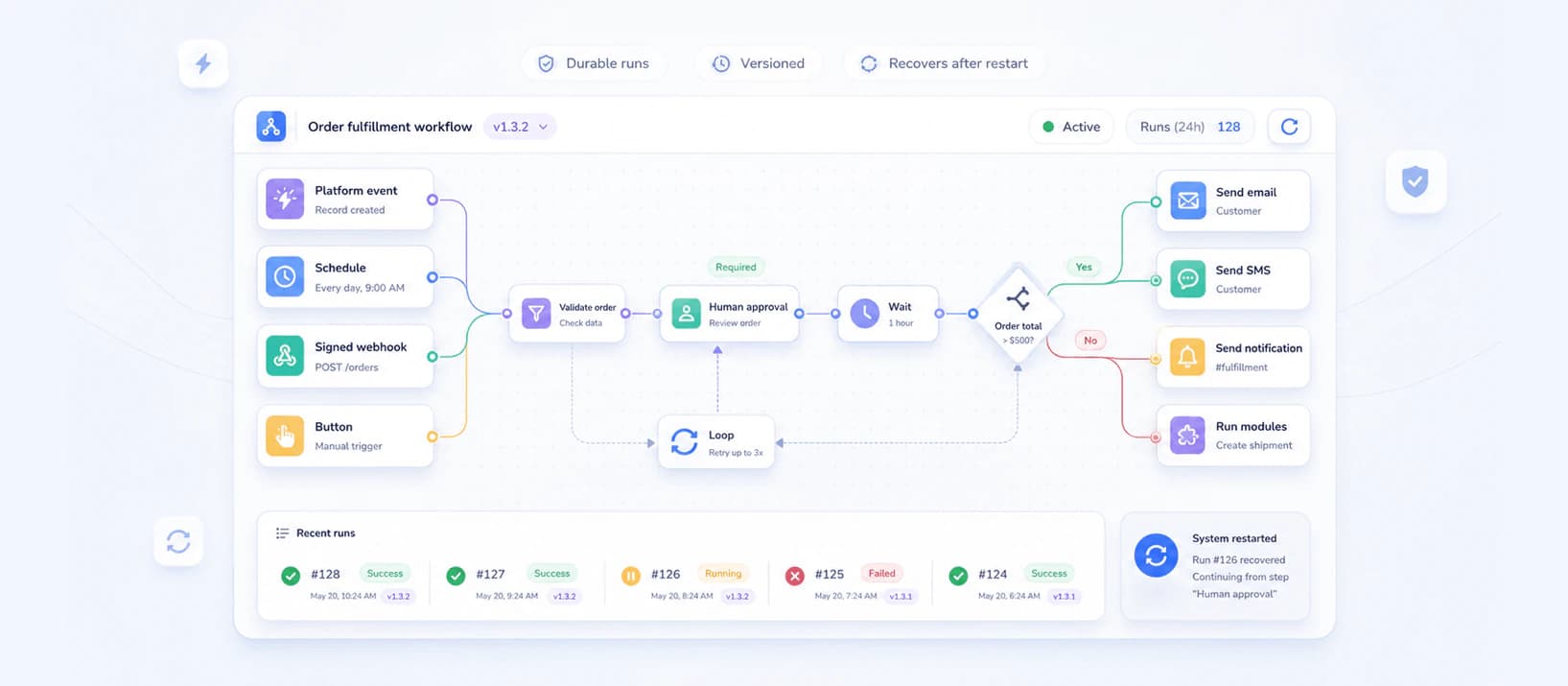
In development — this page describes what the module is being built to do, not what you can install today.
- Trigger kinds
- 5
- Runs lost to a restart
- 0
- Published versions
- Immutable
The canvas
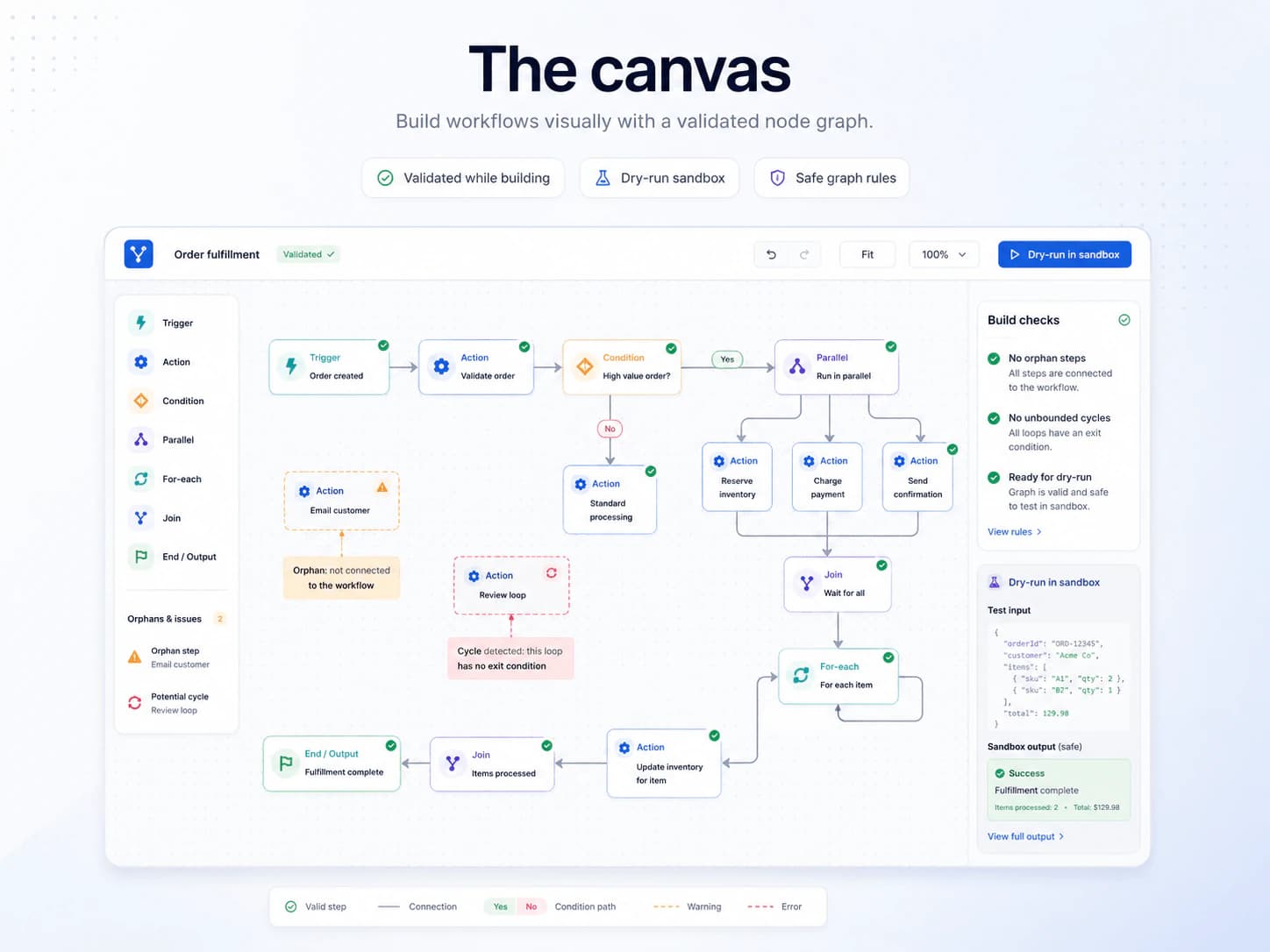
Drag triggers, actions, conditions, loops and joins into a node graph. The canvas validates the graph while you build it.
- Condition nodes branch, parallel nodes fan out, for-each nodes iterate
- No orphan steps and no unbounded cycles — caught at build time
- Dry-run a workflow against a sandbox before it ever touches real data
Triggers from everywhere
Anything the platform announces can start a workflow.
- Any event published by the host or any installed module
- Cron-style schedules and signed inbound webhooks
- Manual triggers — a user clicks a button, the run starts in their context
- Workflows invoking other workflows, with cycle detection
Actions with guardrails
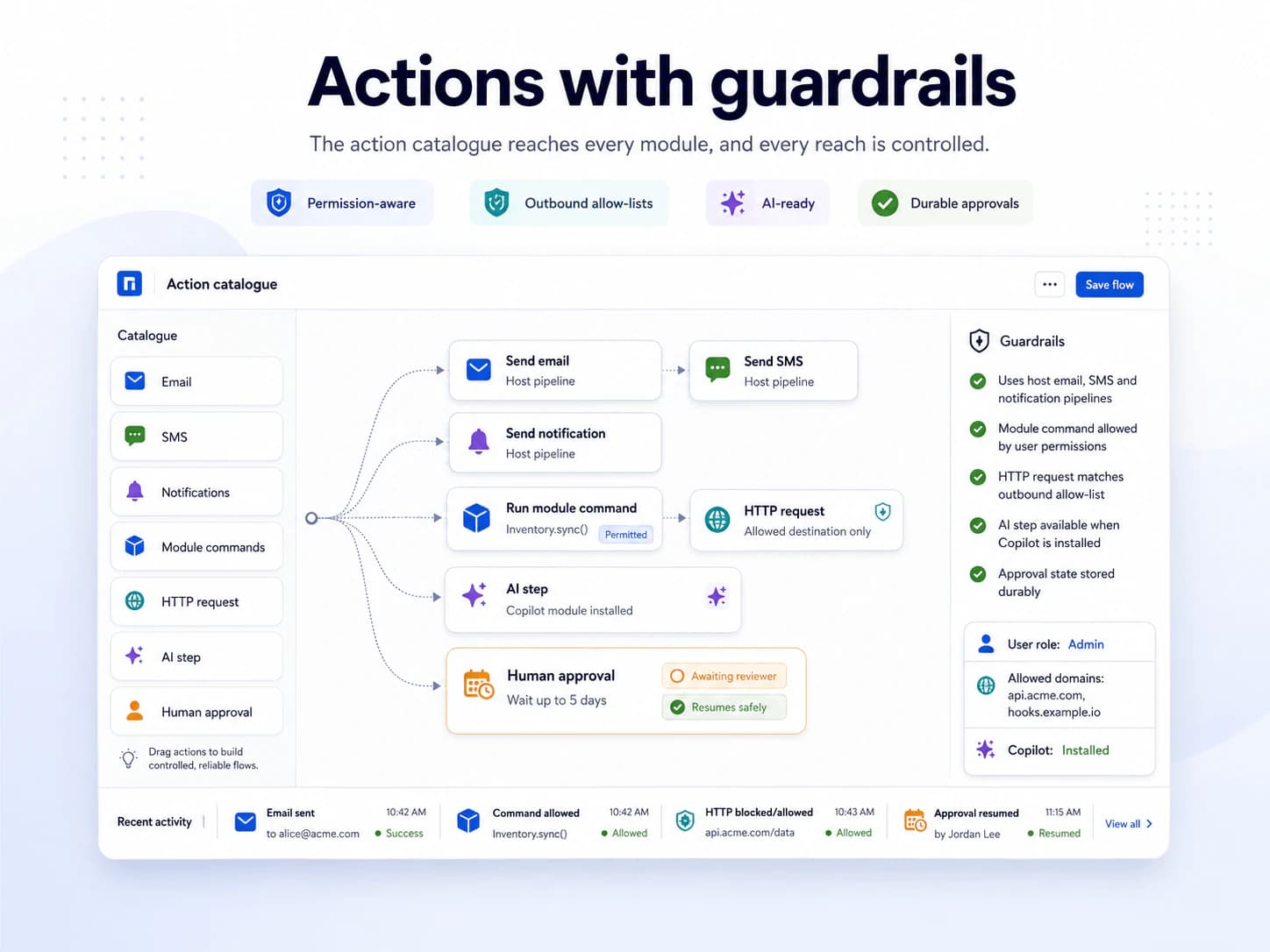
The action catalogue reaches every module, and every reach is controlled.
- Email, SMS and notifications through the host's own pipelines
- Invoke any command an installed module exposes — subject to the user's permissions
- HTTP requests with outbound allow-lists
- AI steps when the Copilot module is installed
- Human approvals that can wait for days, durably
Durable, versioned, quota'd
Runs are checkpointed at every step. Versions are immutable. Quotas keep automation from eating the platform.
- A restart or deploy loses no in-flight run — it resumes from the last checkpoint
- Side-effect actions carry idempotency keys, so replays are safe
- In-flight runs finish on the version they started on
- Per-tenant caps on concurrency, runs per day and run duration
What every module inherits.
- Installs from the marketplace with no redeploy — the menu and the permission list update immediately.
- Creates its own tables, in its own schema, inside that customer's database.
- Packages are cryptographically signed when they are built, and the signature is checked before the host unpacks one.
- Uninstall switches a module off and keeps its data. Dropping the tables is a separate, deliberate choice.
Works with
Curious where Workflow automation is heading?
Thirty minutes, a live workspace, and an honest view of what is built and what is still ahead.
Book a call